
IPTV Setup on Windows PC & Mac
Desktop is often the fastest way to test a line before committing to TV hardware, because you can be watching within a couple of minutes of ordering.
Step-by-step setup
- Download a desktop player. Get IBO Player Pro for Windows from the official download link, or use VLC which runs on both Windows and Mac.
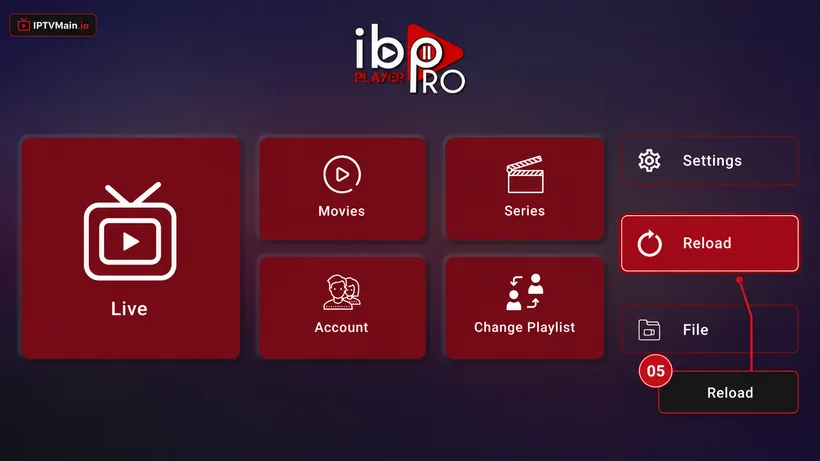
- Install and open it. Run the installer and launch the app. IBO Player Pro opens on a home screen like this one, with Live, Movies, Series and Change Playlist.
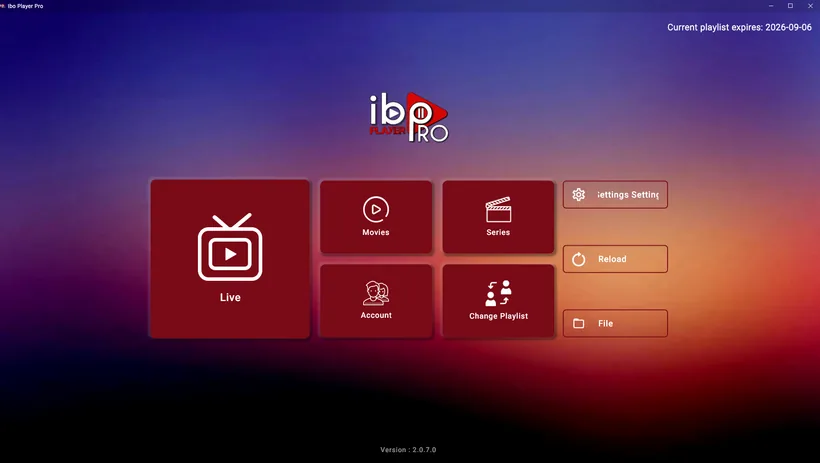
- For IBO, get activated. Send us the MAC Address and Device Key shown in the app so we can activate it.
- For VLC, open your playlist. Choose Media, then Open Network Stream, and paste the M3U URL from your welcome email.
- Enter Xtream Codes if prompted. Type the server URL, username and password exactly as sent, including the port number.
Stuck at any point? Message us on email or live chat — we answer 24/7.
Activate & add your playlist
Once the app is installed on your Windows & Mac, these five screens get you streaming.
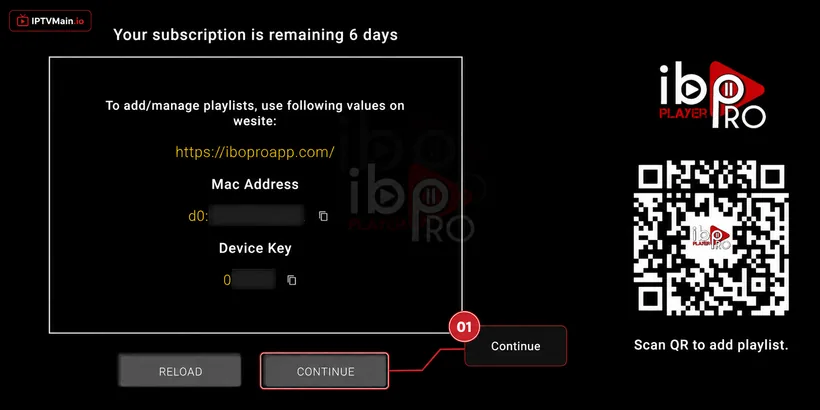
- Note your MAC & Device Key. A popup shows your MAC Address and Device Key. Click Continue, then send us both on live chat, WhatsApp or email (contact@iptvmain.io) so we can activate your line.
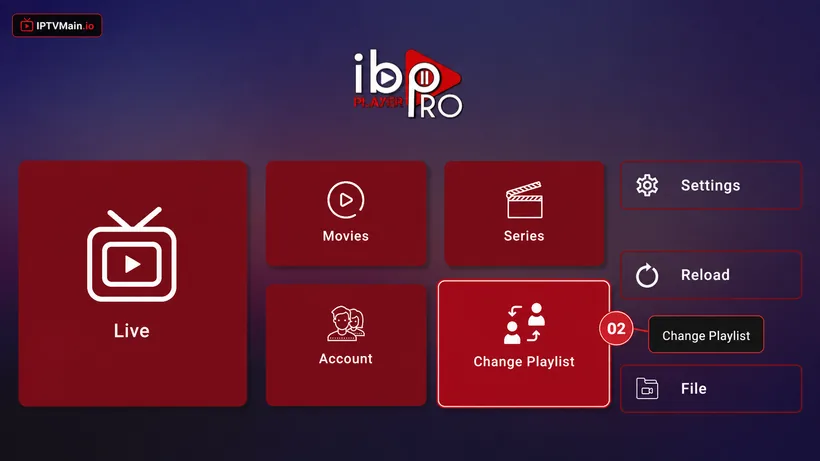
- Change Playlist. Once we confirm activation, open the app home page and choose Change Playlist.
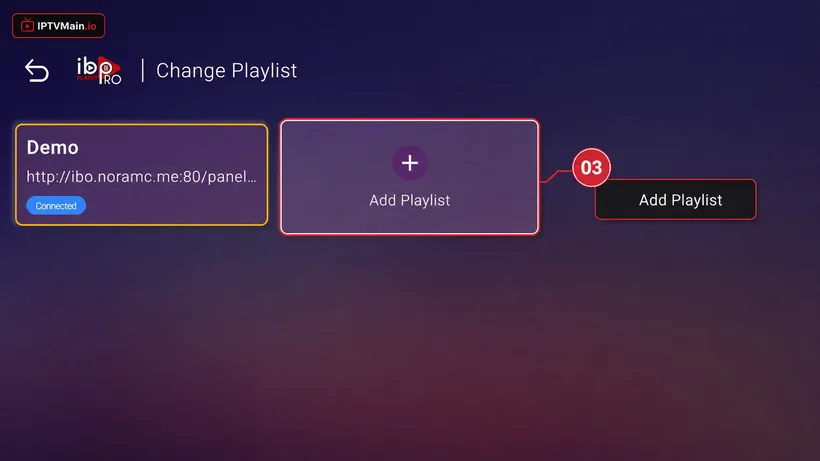
- Add Playlist. Select Add Playlist.
- Enter your login details. Choose the Xtream-Codes-API tab and fill in the server URL, username and password from your welcome email — check spam if you cannot find it.
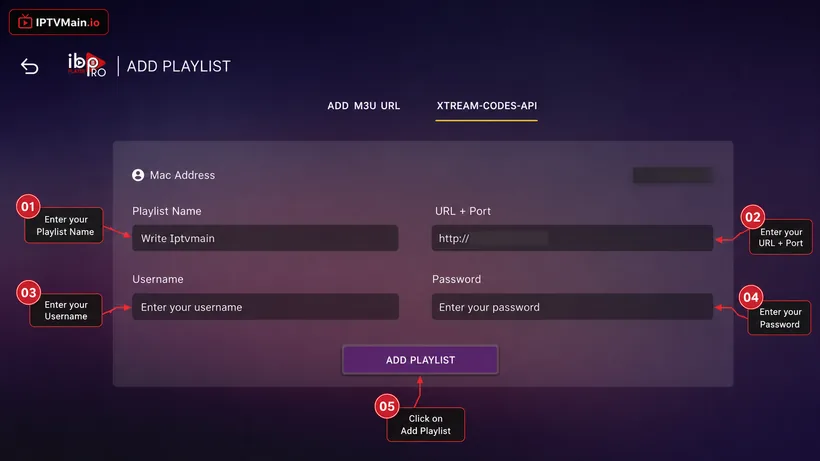
- Reload and watch. Make sure the playlist is connected on the home page, then press Reload. Your channels, VOD and guide load in.
Windows & Mac problems & fixes
VLC plays but there is no channel guide
VLC is a media player, not an IPTV client, so it has no EPG. Use a dedicated IPTV player if you want a programme guide on desktop.
Playback stutters on my laptop
Close background apps, plug into power rather than battery saver, and use Ethernet or 5 GHz Wi-Fi. Laptops throttle aggressively on battery.
Can I cast from my laptop to the TV?
You can, but a cheap streaming stick gives a far better experience than casting for regular viewing.
Set up another device
Firestick
Install IPTV on an Amazon Firestick step by step: enable unknown apps, sideload IBO Player Pro with Downloader, and activate your IPTVMain line in about ten minutes.
SetupSamsung TV
Set up IPTV directly on a Samsung Smart TV running Tizen — no Firestick or Android box needed. Install from the Samsung store and activate in minutes.
SetupLG TV
Install IPTV on an LG Smart TV running webOS using the LG Content Store — step-by-step setup, activation and the webOS-specific issues to watch for.
SetupAndroid TV
Set up IPTV on Android TV boxes, phones and tablets — install from Google Play, activate your line, and pick the right player for your device.
SetupiPhone & iPad
Watch IPTV on iPhone and iPad — install a player from the App Store, activate your line, and use AirPlay to send it to a TV.
SetupFormuler Z
Add your IPTV line to a Formuler Z box using MYTVOnline — Xtream Codes, M3U and MAC portal setup for Z8, Z10, Z11 and Z Alpha.
Ready to start streaming?
Test the service on your Windows & Mac free for 24 hours before you commit.