
IPTV Setup on Samsung Smart TV
Samsung Smart TVs from roughly 2018 onwards run Tizen and can install an IPTV player straight from the Samsung Apps store, with no extra hardware. Older sets are usually easier to solve with a Firestick in a spare HDMI port.
Step-by-step setup
- Open Samsung Apps. Press Home on your Samsung remote and open the Apps section.
- Search for the player. Search for IBO Player Pro and install the genuine app — several copycats use similar names and icons.
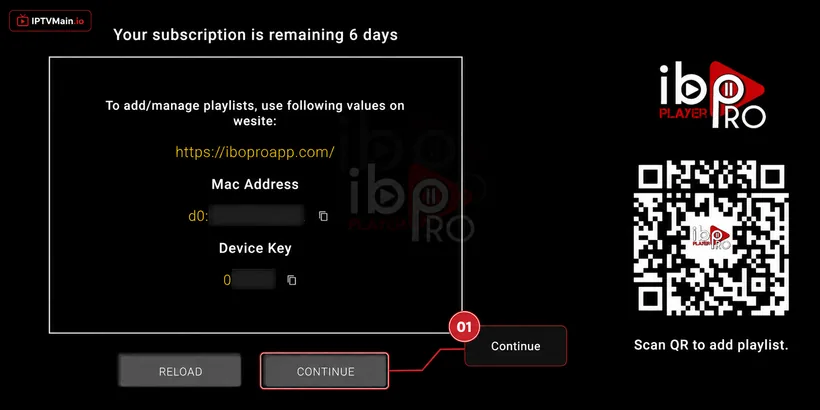
- Launch and note your details. Open the app. A popup shows your MAC Address and Device Key.
- Send them to us. Message both values on live chat, WhatsApp or email and we activate the line on our side.
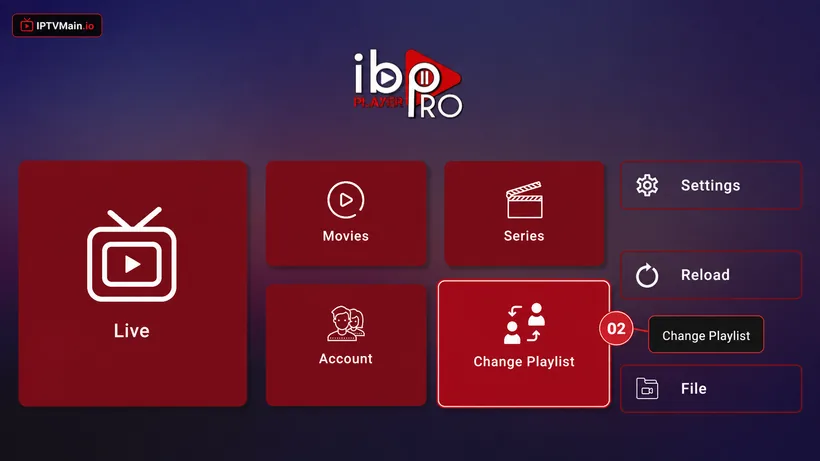
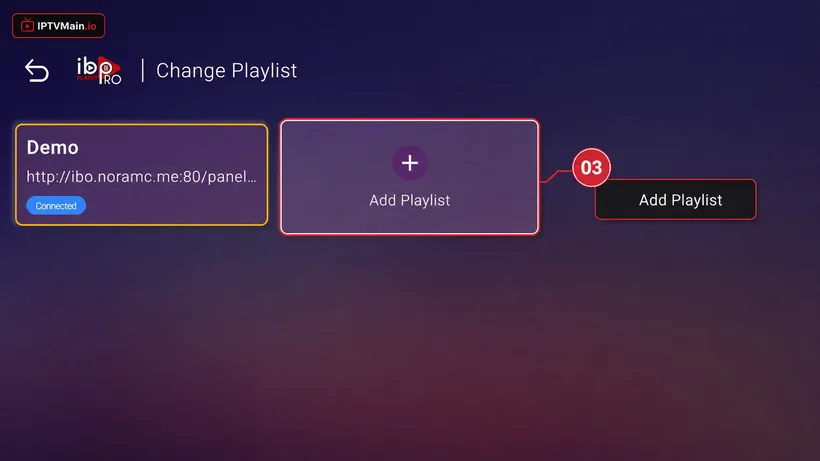
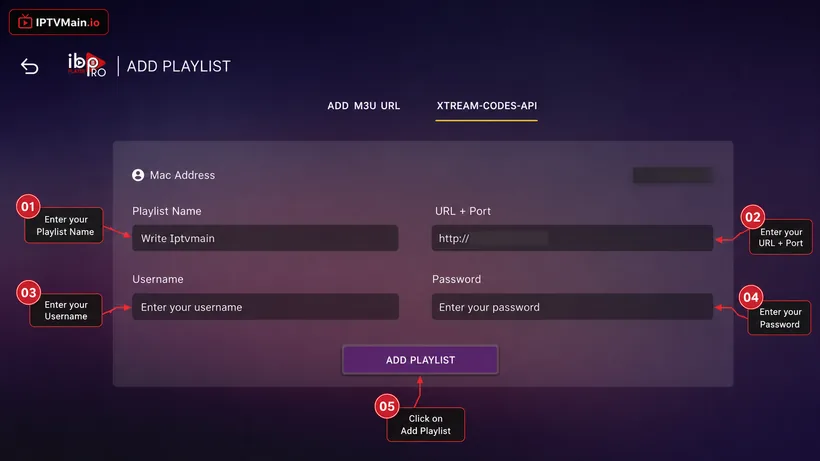
- Add your playlist. Choose Change Playlist, then Add Playlist, and enter the Xtream Codes details from your welcome email.
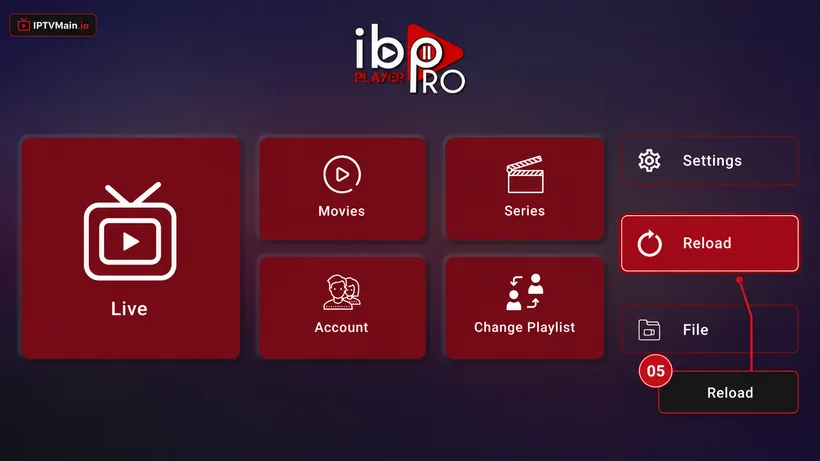
- Reload. Return to the app home screen and press Reload. Channels, VOD and the guide appear.
Stuck at any point? Message us on email or live chat — we answer 24/7.
Activate & add your playlist
Once the app is installed on your Samsung TV, these five screens get you streaming.
- Note your MAC & Device Key. A popup shows your MAC Address and Device Key. Click Continue, then send us both on live chat, WhatsApp or email (contact@iptvmain.io) so we can activate your line.
- Change Playlist. Once we confirm activation, open the app home page and choose Change Playlist.
- Add Playlist. Select Add Playlist.
- Enter your login details. Choose the Xtream-Codes-API tab and fill in the server URL, username and password from your welcome email — check spam if you cannot find it.
- Reload and watch. Make sure the playlist is connected on the home page, then press Reload. Your channels, VOD and guide load in.
Samsung TV problems & fixes
The app is not in my Samsung store
Store availability varies by TV age and region. If it will not appear, a Firestick or Android box in a spare HDMI port is the reliable fallback.
My TV is from before 2018
Older Tizen builds often cannot run current player apps. Use an external streaming stick rather than fighting the TV.
Picture stutters on 4K channels
Samsung sets on weak Wi-Fi are the usual cause. Most have an Ethernet port on the back — a cable fixes it immediately.
Set up another device
Firestick
Install IPTV on an Amazon Firestick step by step: enable unknown apps, sideload IBO Player Pro with Downloader, and activate your IPTVMain line in about ten minutes.
SetupLG TV
Install IPTV on an LG Smart TV running webOS using the LG Content Store — step-by-step setup, activation and the webOS-specific issues to watch for.
SetupAndroid TV
Set up IPTV on Android TV boxes, phones and tablets — install from Google Play, activate your line, and pick the right player for your device.
SetupiPhone & iPad
Watch IPTV on iPhone and iPad — install a player from the App Store, activate your line, and use AirPlay to send it to a TV.
SetupWindows & Mac
Watch IPTV on a Windows PC or Mac — install a desktop player, enter your Xtream Codes or M3U details, and stream in full quality on a big monitor.
SetupFormuler Z
Add your IPTV line to a Formuler Z box using MYTVOnline — Xtream Codes, M3U and MAC portal setup for Z8, Z10, Z11 and Z Alpha.
Ready to start streaming?
Test the service on your Samsung TV free for 24 hours before you commit.